
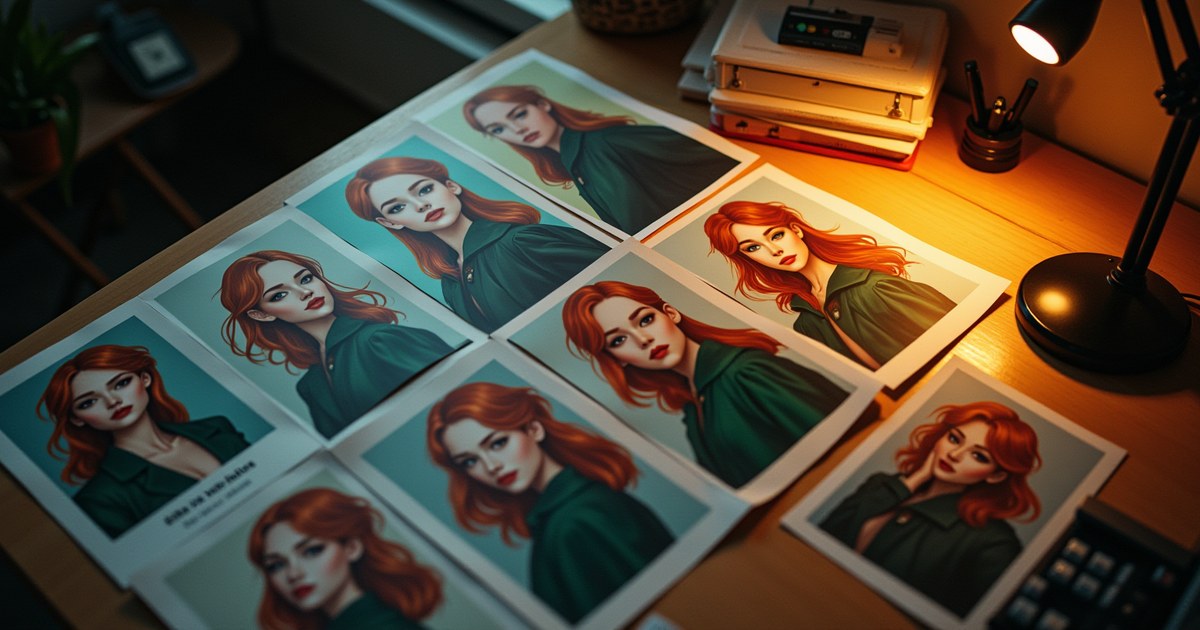
Ask an AI image generator for “a woman with red hair and a green jacket” twice, and you’ll get two different women — similar in the broad strokes, but with different faces, different hair texture, different everything below the prompt’s literal words. For a comic, a brand mascot, or a children’s book, that’s a real problem: the same character needs to look like the same character across a dozen or more images. Here’s what actually helps, what’s a partial fix, and what genuinely isn’t solved yet by standard text-to-image tools.
Why This Is Hard in the First Place
Text-to-image models generate from noise, guided only by your prompt’s text description each time. Unless you reuse the exact same random seed and an identical prompt, the model has no built-in memory of “the character from image one” — every generation is an independent roll, constrained only by whatever your words describe. Two prompts that both say “red-haired woman in a green jacket” can both be technically correct while looking like two different people, because “red hair” and “green jacket” don’t pin down face shape, exact hair length, skin tone, or dozens of other details a real character needs to stay recognizable.
This is the core tension: prompts describe attributes, not identities.
Technique 1: Detailed, Reusable Prompt Templates
The most accessible fix — free, works on any text-to-image tool — is being extremely specific and, critically, consistent in how you describe the character every single time. Write the description once as a template, then reuse it word-for-word across every generation:
[Character name/reference], a woman in her late 20s with shoulder-length wavy
red hair, freckles across her nose, green eyes, wearing a forest-green canvas
jacket over a white t-shirt, [scene/action/setting changes here]
Keep the character block identical across every prompt and only change the part describing what she’s doing or where she is. This won’t produce a pixel-identical face every time, but it dramatically narrows the variation compared to loosely re-describing the character from memory each time.
Combine this with a fixed seed where the tool supports it (most generators show the seed number after generating). Reusing the same seed alongside the same prompt template produces closer — though still not identical — results than changing the seed each time, since the seed controls the initial noise pattern the model starts denoising from.
Technique 2: The Character Sheet Approach
Borrowed from traditional character design, a character sheet is a single reference image showing your character from multiple angles or in a neutral pose, generated once and treated as ground truth. From there:
- Generate (or draw) one clean reference image of the character in a neutral pose.
- Use that image, alongside your prompt, in a tool that supports image-to-image editing (see Technique 3 below) rather than starting from a blank prompt each time.
- Keep the reference image saved and reused as your anchor for every subsequent generation of that character.
This works better than pure prompting because you’re now giving the model actual visual information to match, not just a text description it has to reinterpret from scratch.
Technique 3: Reference-Image Editing (Where AllMediaTools Actually Helps)
This is the part worth being precise about, because it’s genuinely useful and not just theoretical. Two of AllMediaTools’ AI image tools support feeding in a reference image alongside your prompt, rather than generating from text alone:
- Nano Banana AI Image Generator supports conversational image editing: upload a reference image (your character sheet, or a previous generation of the character) and describe the change you want — a new pose, a new setting, a different expression — and it edits from that reference rather than generating a fresh, unrelated image
- AllMediaTools AI Image Generator offers a FLUX Kontext editing mode (available once signed in) that works the same way: upload a reference image and describe the edit, rather than starting from a blank prompt
Practically, this means the workflow that actually helps most is: generate your character once, save that image as your reference, then use one of these two reference-image modes for every subsequent image of that character — describing the new scene or pose while keeping the reference image anchoring the identity. This produces noticeably better consistency than re-prompting from text alone each time.
Where this still falls short: neither tool is a dedicated, purpose-built “character consistency” feature the way some specialized commercial tools and open-source techniques (like a trained LoRA model, or Midjourney’s --cref character-reference flag) are. Those are trained or tuned specifically to lock in an identity across generations with less manual reference-feeding. Reference-image editing gets you meaningfully closer than plain prompting, but it’s not a guarantee of an identical face every time — expect close, usable consistency for most casual and small-project use, not pixel-perfect identity matching for a large-scale production pipeline.
Putting It Together: A Practical Workflow
| Step | What to do |
|---|---|
| 1. Create the character | Write a detailed, specific description covering face, hair, clothing, and any distinguishing features |
| 2. Generate a reference image | Generate once with your prompt template, note the seed, save the output as your character sheet |
| 3. Reuse the reference | For every new image, use a reference-image editing mode (Nano Banana or FLUX Kontext) with the saved image, describing only what’s changing |
| 4. Keep the prompt template identical | Never rewrite the character’s core description from memory — copy-paste it every time to avoid drift |
| 5. Accept minor variation | Expect “close and recognizable,” not “identical,” unless you move to a dedicated fine-tuned model |
What to Do Next
- Write a detailed, reusable character description and save it somewhere you’ll copy from every time — see How to Write AI Image Prompts That Actually Work for the underlying prompt structure.
- Generate your first reference image using AllMediaTools’ free AI image generators.
- For every follow-up image, use the reference-image editing mode on Nano Banana or FLUX Kontext instead of generating fresh from text.
- If you’re deciding which underlying model fits your project best, see our FLUX vs Midjourney comparison — Midjourney’s
--crefflag is a relevant option to know about if you need tighter consistency at scale.
Frequently Asked Questions
Can AI generate a perfectly identical character every time?
Not with standard text-to-image prompting alone — every generation is an independent process guided only by your text. Reference-image editing tools get you much closer, and dedicated techniques like a trained LoRA model or Midjourney’s character-reference feature get closer still, but “pixel-identical” isn’t realistic with any current mainstream tool.
Does using the same seed guarantee the same character?
No, but it helps. The same seed with the exact same prompt produces a much closer result than a random seed each time, since the seed controls the starting noise pattern. Change any part of the prompt, though, and the output can still shift noticeably even with a fixed seed.
What’s the easiest way to keep a character consistent without special tools?
Write out a very specific, reusable description of the character (face, hair, clothing, distinguishing features) and copy-paste it into every prompt rather than re-describing the character from memory each time. It’s the lowest-effort technique and works on any text-to-image tool.
Does AllMediaTools have a dedicated character-consistency feature?
Not a dedicated one, but it does support reference-image editing through Nano Banana and FLUX Kontext mode — both let you feed in a previous image of your character and describe changes, which meaningfully improves consistency over plain re-prompting, even though it isn’t a purpose-built identity-lock feature.
Is this technique useful for a full comic book or children’s book?
Yes, as a practical starting point, but expect to do some manual curation — regenerating a panel or two that drifted too far from the reference, and picking the closest match from a few generations when needed. For large, professional productions with dozens of consistent characters, a trained custom model is usually worth the investment.